Design it in Figma, play it in Roblox.
Bloxig turns your Figma frames into native Roblox UI with real text, real buttons and layouts scaled for every screen. It never touches the scripts you've already written.
3 projects free · No credit card
Three steps from design to Studio
No more rebuilding UI by hand. Export once, re-import whenever the design changes.
Select in Figma
Run the Bloxig plugin on any frame and export it to your account with one click.
Find it in your dashboard
Every export becomes a project. The Studio plugin lists your projects, so there are no IDs to copy.
Import in Studio
Connect the Bloxig plugin once, pick your project, preview the changes, import. Smart Merge updates visuals and leaves your scripts alone.
Native UI, not images
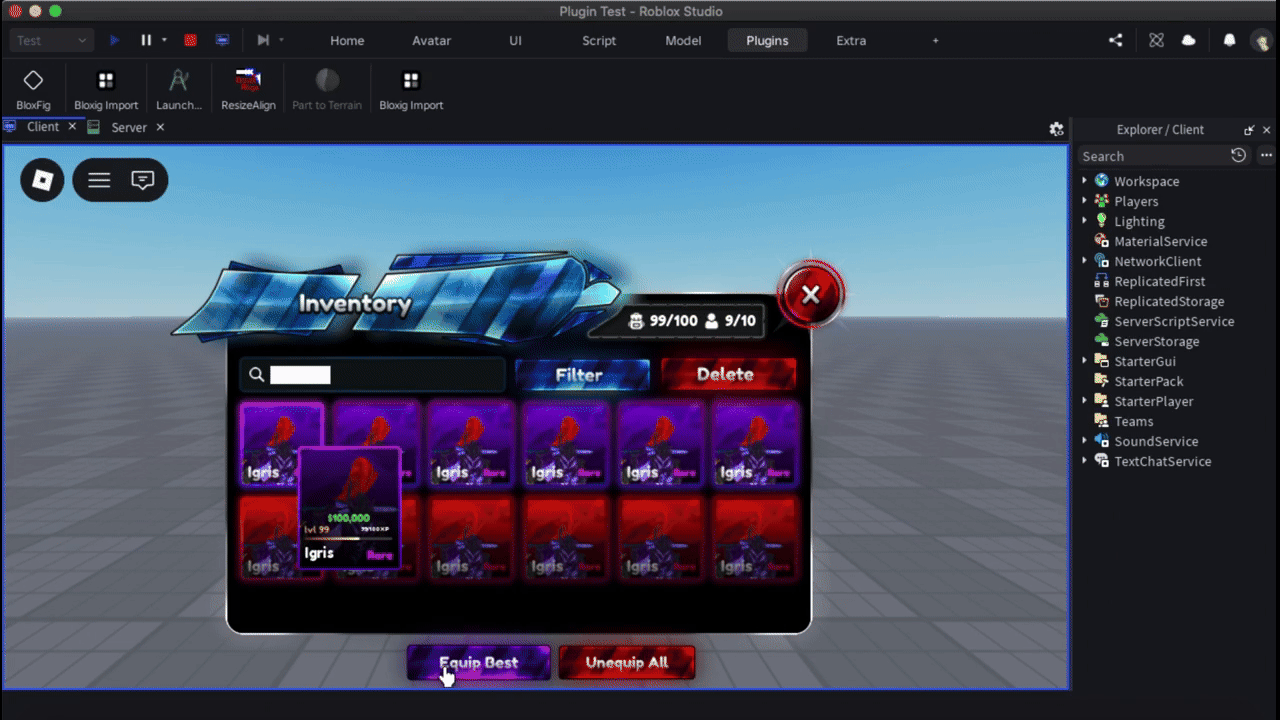
Drag the handle. On the left is the Figma frame, on the right is what Bloxig builds in Studio: real instances you can select, edit and script.


Built around how you ship
Everything you need to go from design to a scriptable UI without the manual work.
Scripts stay safe
Smart Merge matches elements by ID. Re-import updates looks, never your LocalScripts.
Images upload for you
Connect your Roblox account once and artwork is uploaded and linked automatically.
Fits every screen
Scale-based layout and text that shrinks to fit, so it holds up from phone to desktop.
Buttons come wired
Buttons arrive as real ImageButtons and TextButtons with a starter script, ready for yours.
Simple, transparent pricing
Free during beta. Pro plans open soon.
Everything you need to try Bloxig on real projects.
- 3 active projects
- 25 MB of image storage
- Figma export
- Roblox Studio import
- Smart Merge
For developers shipping UI regularly. Cancel anytime.
- Everything in Free
- Unlimited projects
- No image storage cap
- Keeps exporting when Bloxig is busy
- Email support
Coming soon. Free during beta
$10/mo, billed once a year.
- Everything in Pro
- 2 months free vs monthly
- Turn off renewal anytime and keep Pro until the year ends
Coming soon. Free during beta
Try the Free plan first: Pro payments are non-refundable (Terms) · Cancel anytime · Payments by Stripe
Stop rebuilding UI by hand.
Export your next Figma frame and see it in Studio in minutes.
Create a free account